
Luminus
I worked as a UX designer on developing a web application for survey-based advertising, during a 3-week UX design internship organized by ScreenSaverz in collaboration with Httpool.

Project Overview
We moved through the entire design process, from ideation to prototyping.
This included creating personas, mapping user journeys, building empathy maps and conducting competitive audits. We conducted user interviews, usability testing, and research to define pain points and refine our solutions. By the end of the internship, we each presented our prototypes to stakeholders.
The project was divided into three key components: Survey Builder, Campaign Builder and Reports.
I collaborated with another participant on the Reports module, focusing on improving the usability and presentation of data insights.
The Design Process

1. Initial Research & Assumptions
We started by analyzing previous reports, researching competitors and understanding user pain points.
Based on the assumptions provided, we identified that users need visually appealing and easily customizable reports.
Our goal was to reflect simplicity and innovation throughout the process.
2. User Interviews & Competitor Research
We conducted interviews with internal stakeholders and reviewed how other platforms handled reporting, gathering insights to inform our design decisions.
We focused on the need for simplicity in filtering information and real-time data representation.
We researched tools like:
- Google Data Studio,
- Survey Monkey
- Pollfish,
- Survey Sparrow,
- Alchemer and Qualtrics.

We wanted to understand how they handle reporting, including data slicing, behavior analysis and the presentation of insights.
Our key focus was making reports visually appealing, easily customizable and user-friendly, allowing users to filter data by demographics and questions, download reports in various formats like PDF and Excel.
The goal was to automate the reporting process, providing real-time data updates while ensuring simplicity and usability.
3. Persona Creation & User Journeys
We developed user personas and mapped user journeys.
Our personas included users who needed to generate detailed reports for specific demographics or responses and those who wanted a broader view of survey results.


4. Prototyping & Wireframing
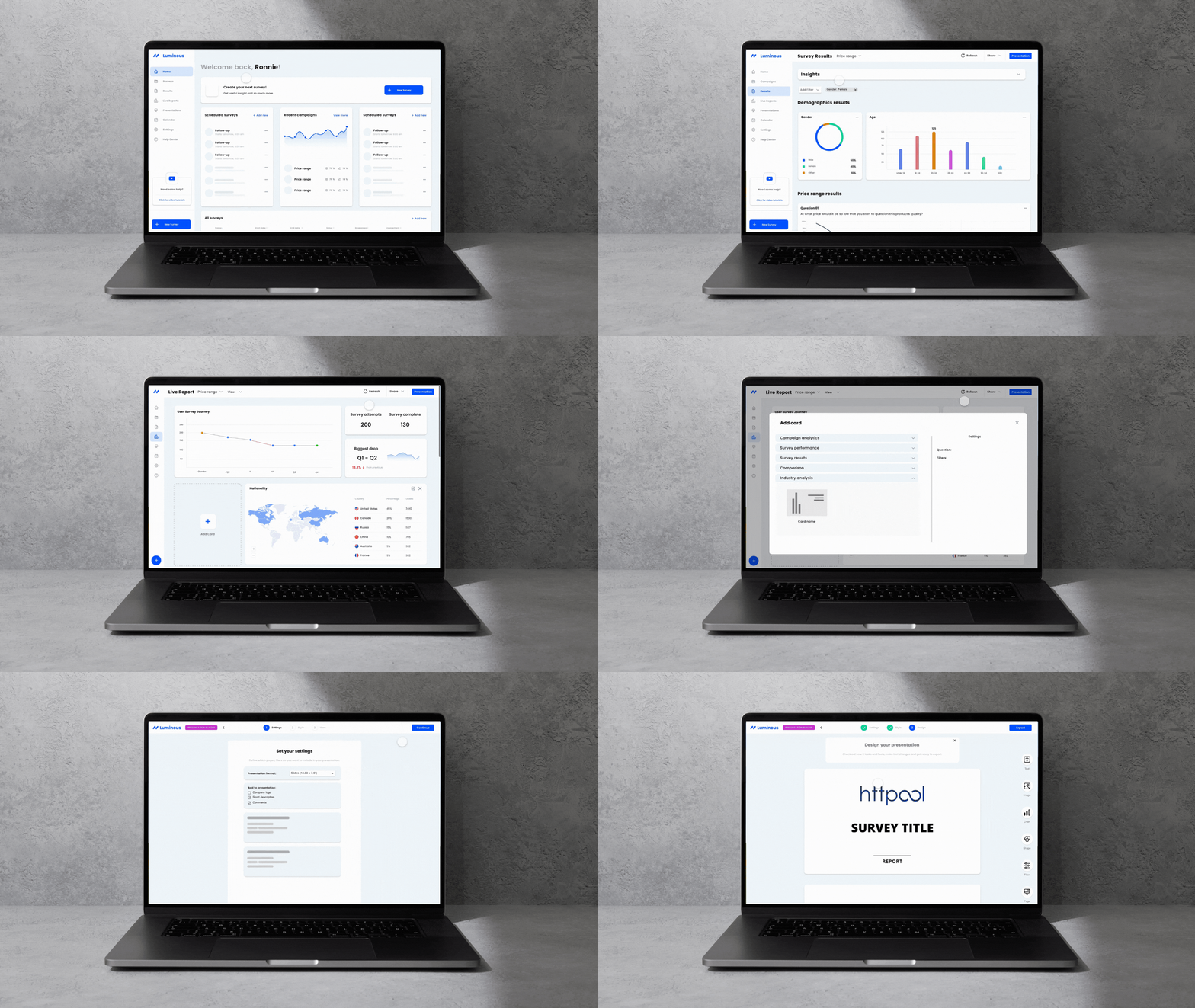
We designed the reporting interface, ensuring users could filter and compare survey results by demographic groups and individual questions.
We implemented options for visual customization, allowing users to choose which graphs and data points to include in their final reports.
Real-time updates were a key feature, ensuring that reports adjusted as new data became available.
5. Usability Testing
To validate our designs, we conducted usability tests, gathering feedback on the intuitiveness of the reporting dashboard.
Based on these tests, we iterated on the design to ensure clarity and ease of use.
6. Final Presentation
At the end of the internship each of us presented our prototype to stakeholders.
My solution was well-received, particularly for its simplicity and the ability to automate report generation, eliminating the need for manual report preparation.
Insights
Through this hands-on experience, I worked in a professional product team within the Aleph group, gaining valuable insights into team collaboration and real-world UX challenges.
The internship, facilitated by ScreenSaverz, provided an excellent opportunity to connect with potential employers and showcase my design skills.
This experience ultimately led to my role as a UX/UI Associate at Httpool.